How to Upgrade RAM in a 27-inch iMac 5K
The easiest iMac upgrade — accessible through a small hatch behind the screen.
Unlike most iMac upgrades, adding RAM to a 27-inch model doesn't require opening the screen. There's a small access hatch behind the stand — press a button, and the RAM slots are right there.
The 27-inch iMac has 4 SO-DIMM slots behind a small hatch at the base of the stand. Press the button above the power port, and the hatch pops open. No tools needed.
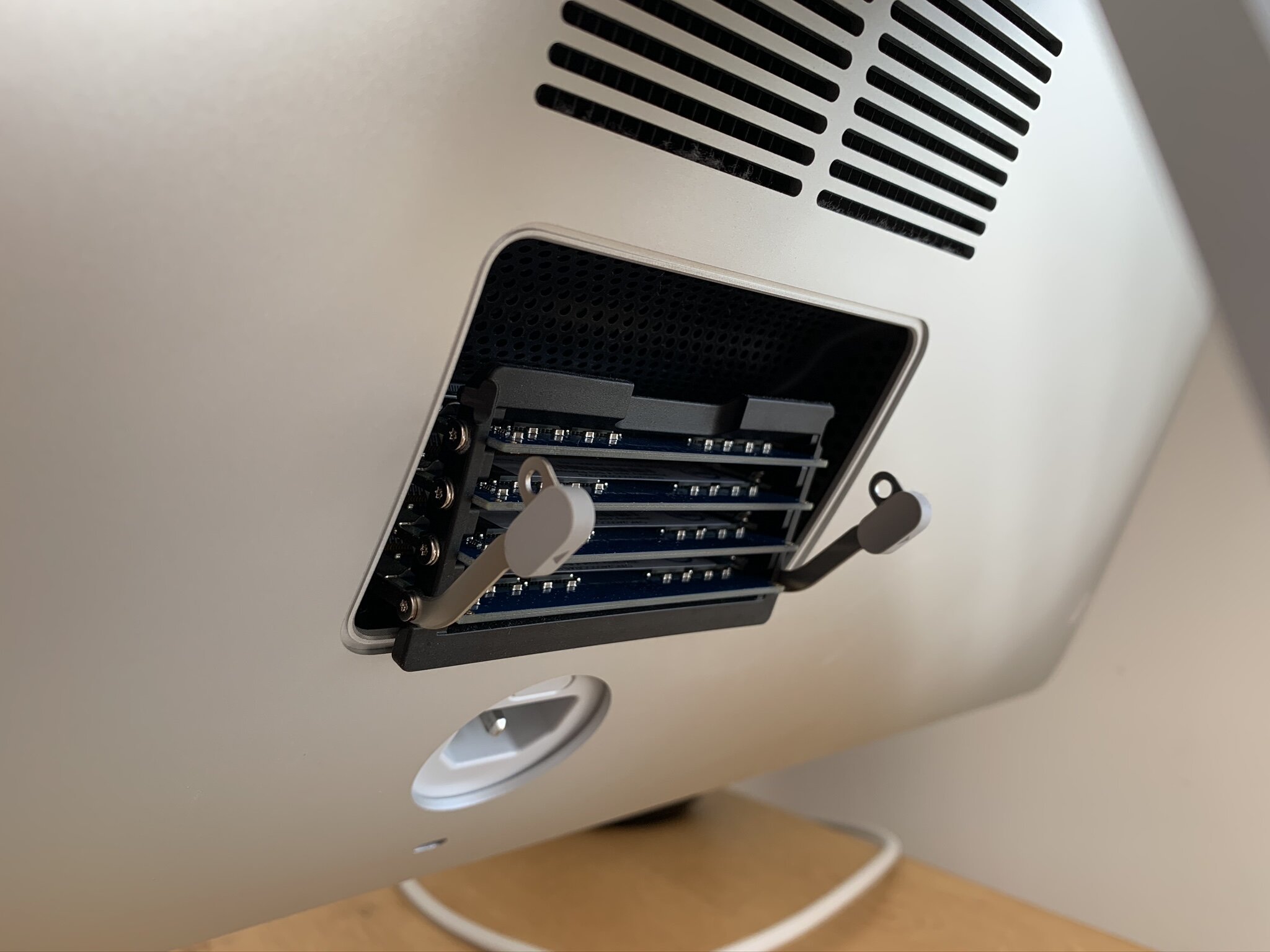
The iMac 5K supports up to 128GB of DDR4 RAM (4 × 32GB). Use matched pairs for optimal performance. Willem upgraded from the factory 8GB to 64GB — the difference in performance for photo editing and development work was dramatic.
Insert the modules at an angle, then press down until they click. Close the hatch, and you're done. Total time: about 5 minutes.
From Willem's complete iMac upgrade guide.