Writing · 31 Aug 2026
My Own Custom Android
A home screen that is a window into the homelab
In August my phone changed. Not the hardware, a Fairphone 5 I have had for a while, but what is on it: a home screen I wrote myself, for one user. No app store, no onboarding, no settings menu for people who are not me. This post is about why I built it, what it does, and the honest balance after two weeks of Android only.
Why a launcher
In July I researched a fully custom build of the phone's operating system: my own signed image, my own launcher baked in, the always-on display back. It works, I had it running in an emulator in an evening. I also wrote down the tinker's tax: you become the maintainer of your own phone, every month, until 2031. I parked it. The free win was the launcher itself: an app that replaces the home screen, installed like any other app, no custom image needed.
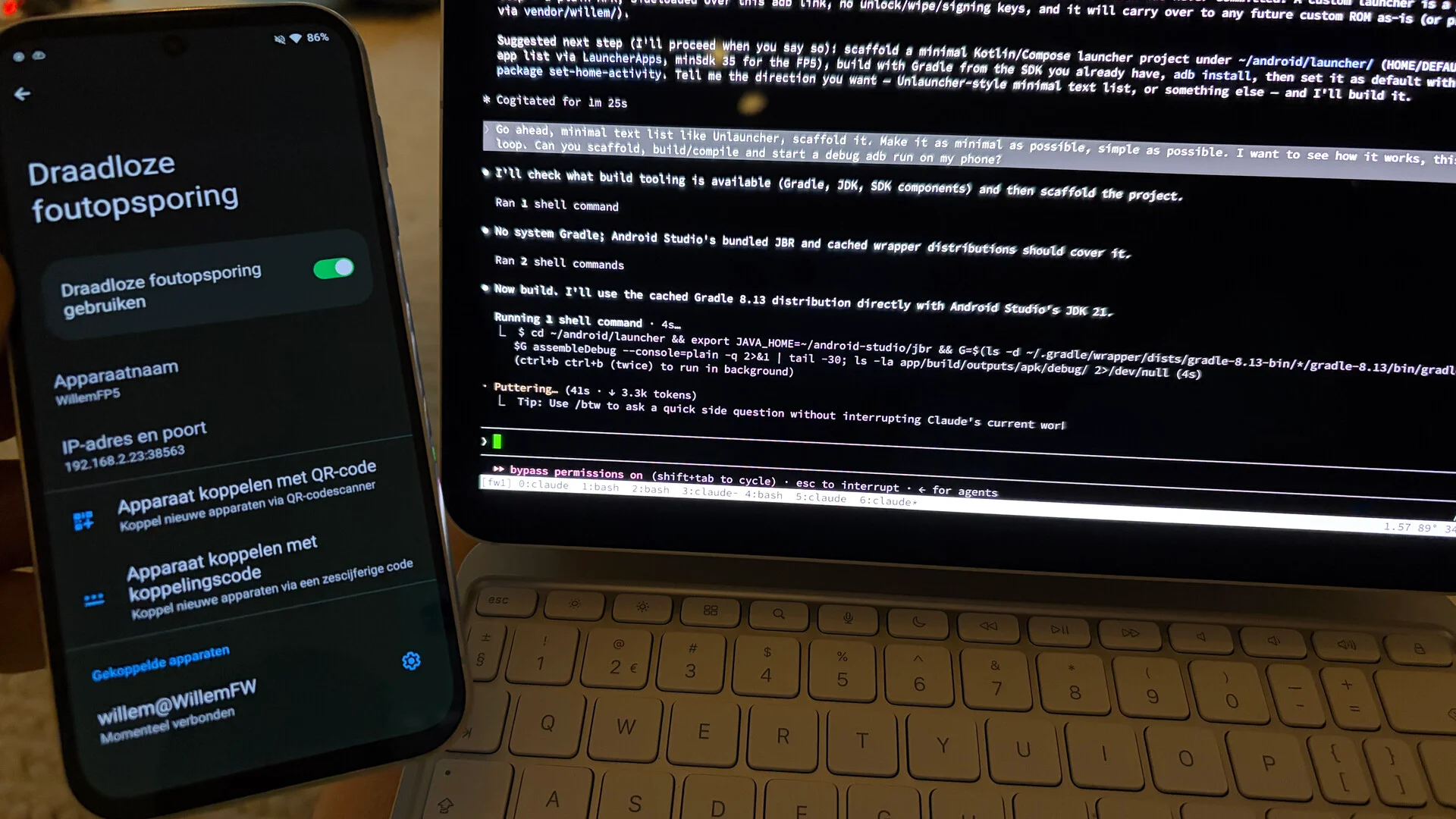
What made it possible is a change in attitude I noticed this month: I increasingly develop only for myself. Letting go of the idea that other users must understand it too makes the tooling true bespoke, and that is liberating. A custom launcher with all its compliance I would never have built for fun. Now the homelab does the tedious part, and I did it in a day, on 18 August. It has been my default home screen since.
What it does
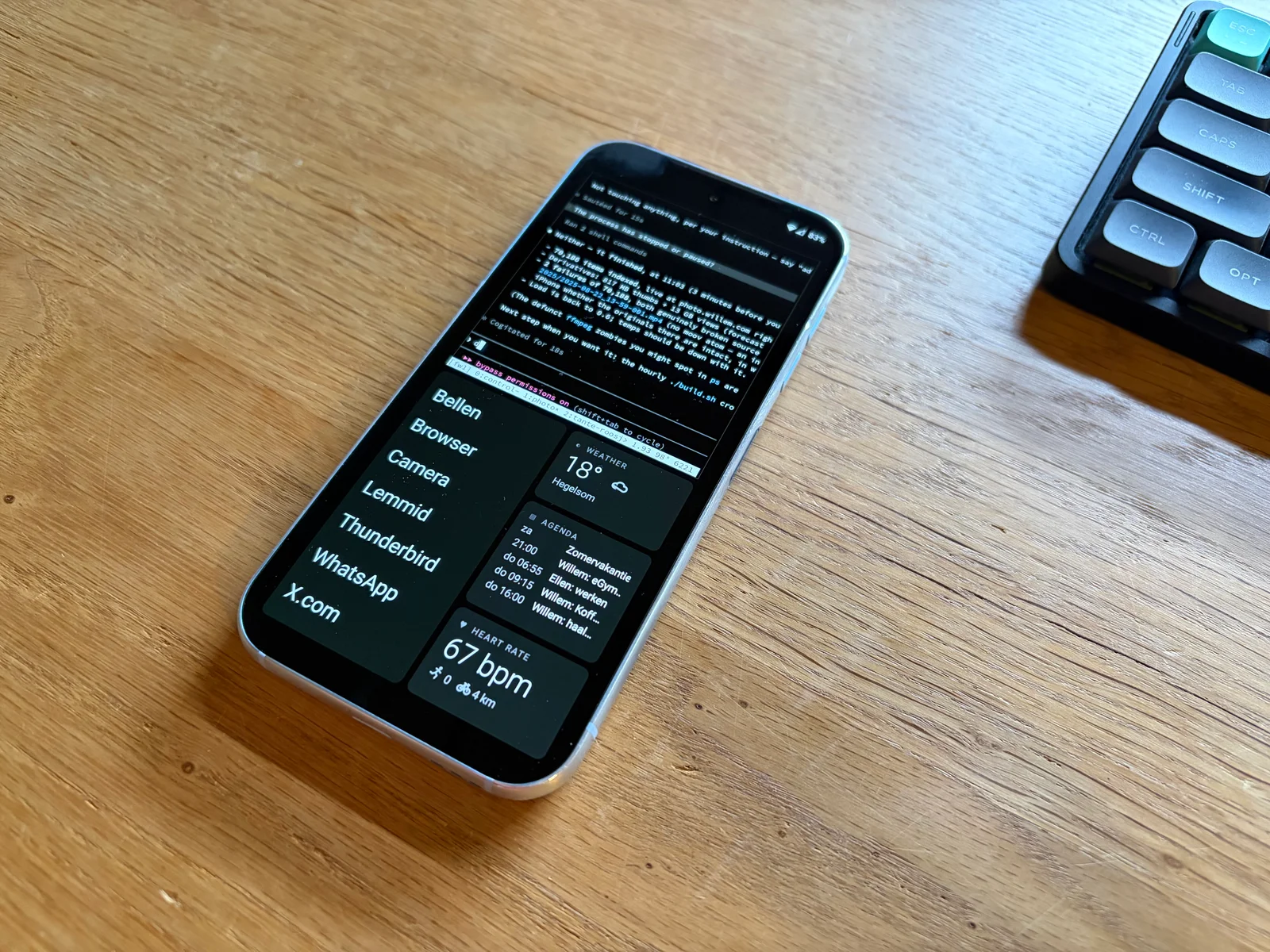
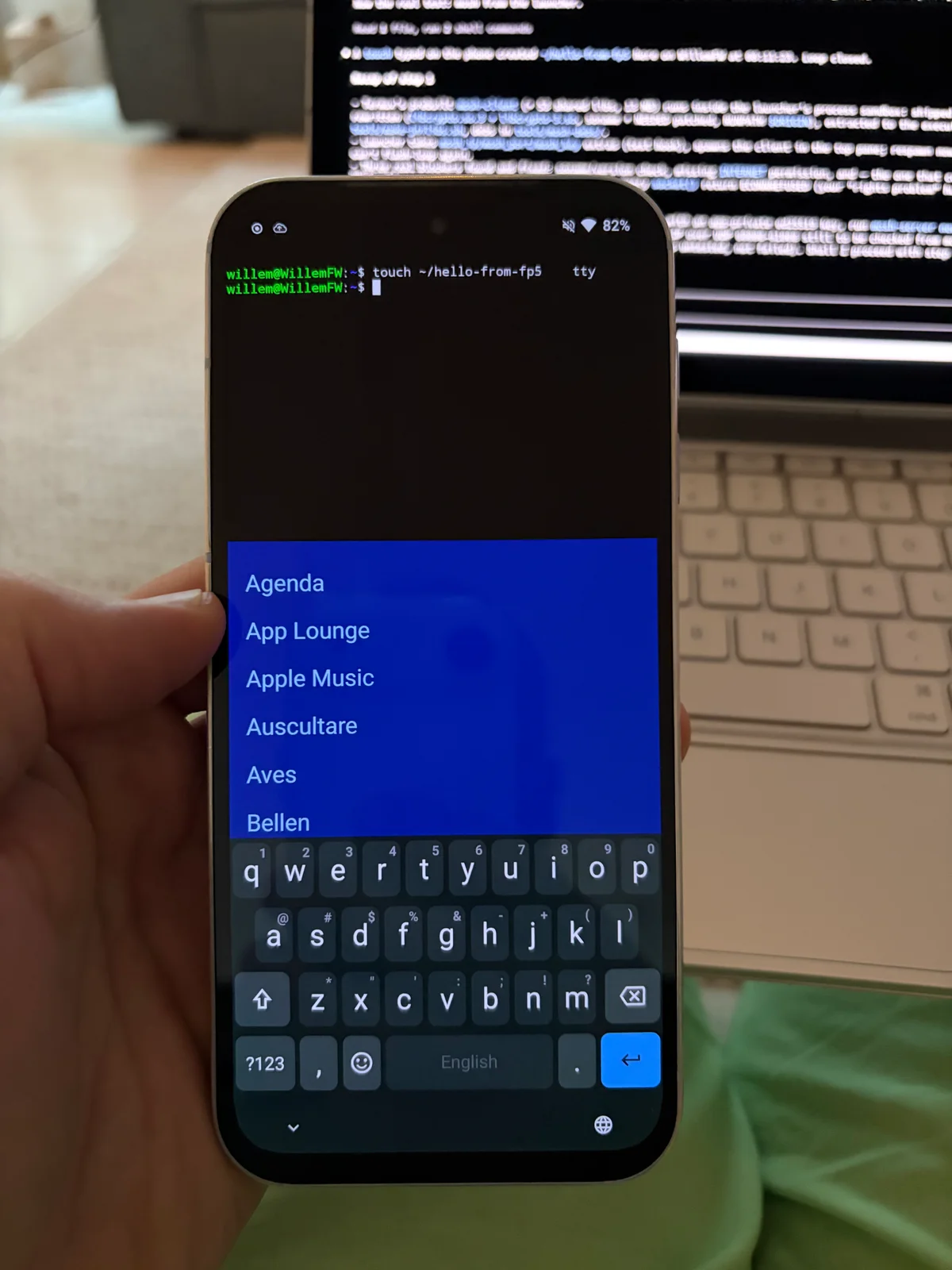
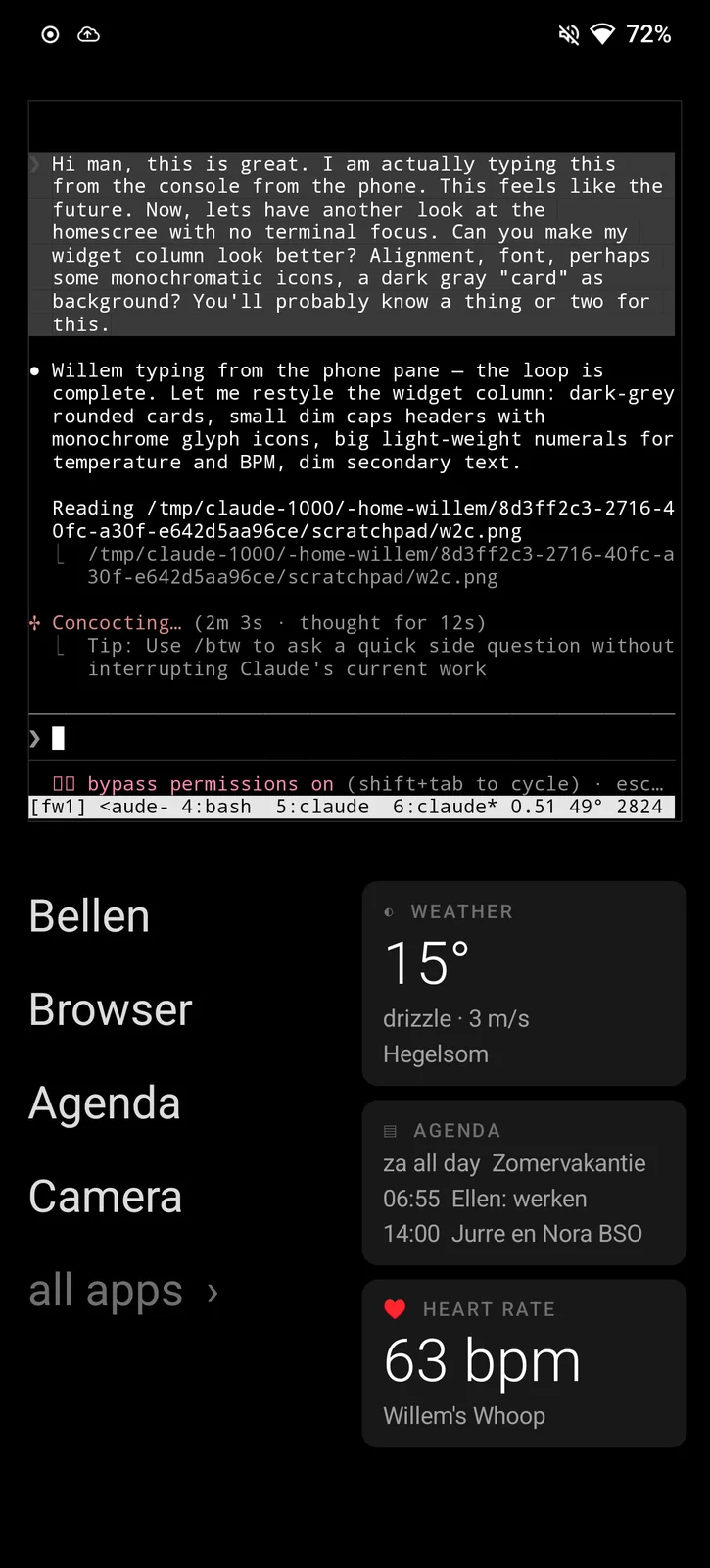
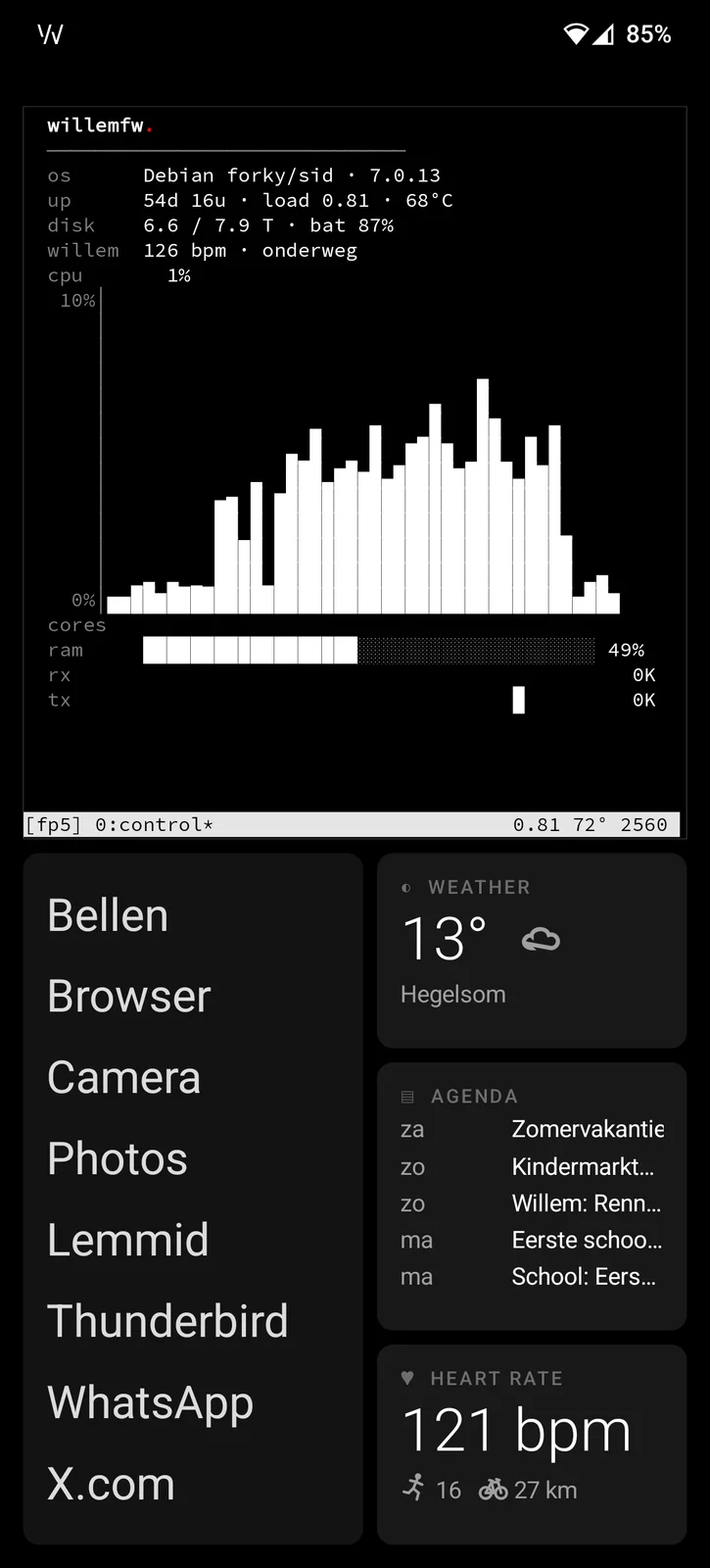
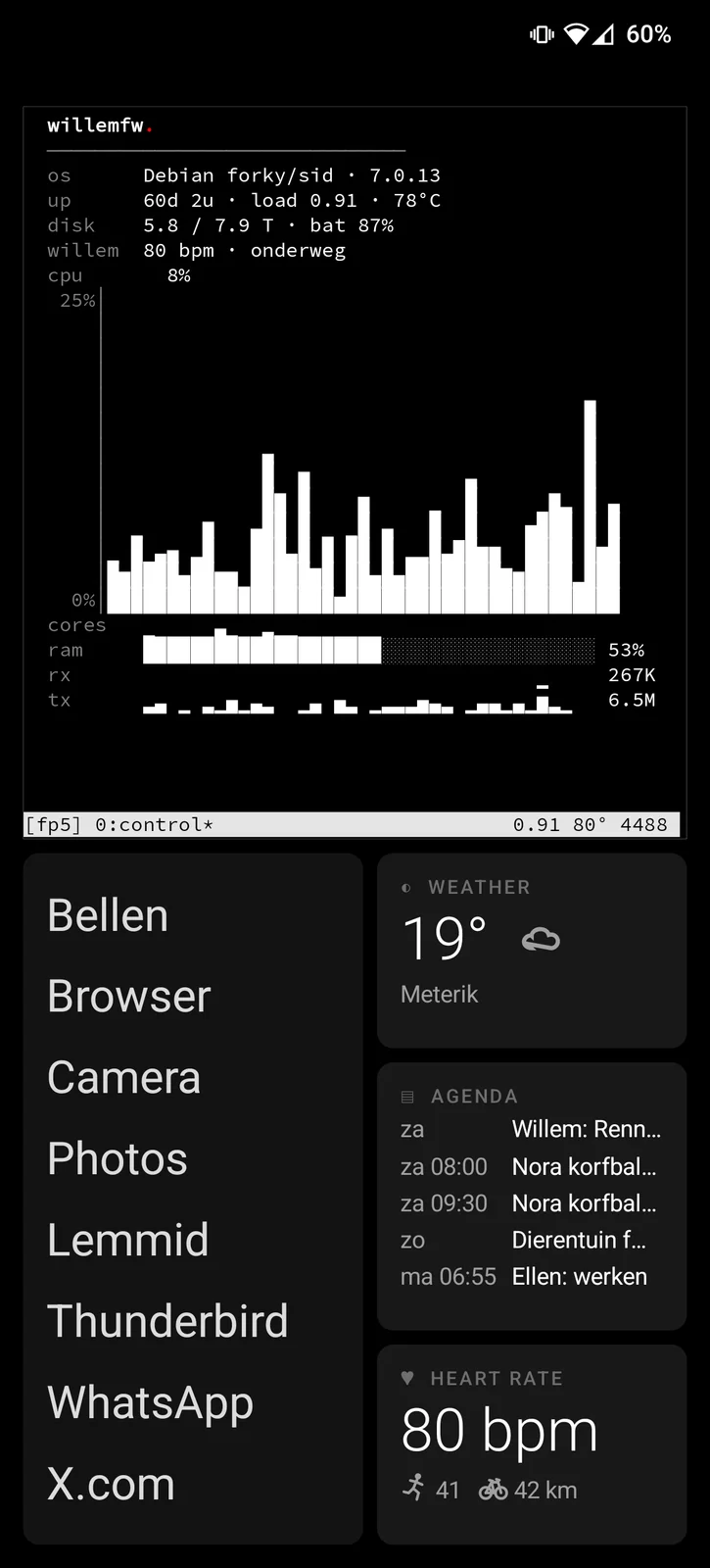
The screen is black. On the bottom half a text list of the things I actually use: calls, browser, agenda, camera, photos, Lemmid, mail, WhatsApp, X. Next to it three cards: the weather, the agenda, and my heart rate, straight from the WHOOP over Bluetooth, no app in between. On the top half a terminal, connected over mosh to the machine in the homelab. That is the whole idea: the phone is a window into the one brain. The agents keep working when the phone sleeps, and I type into the session I left on the desk.
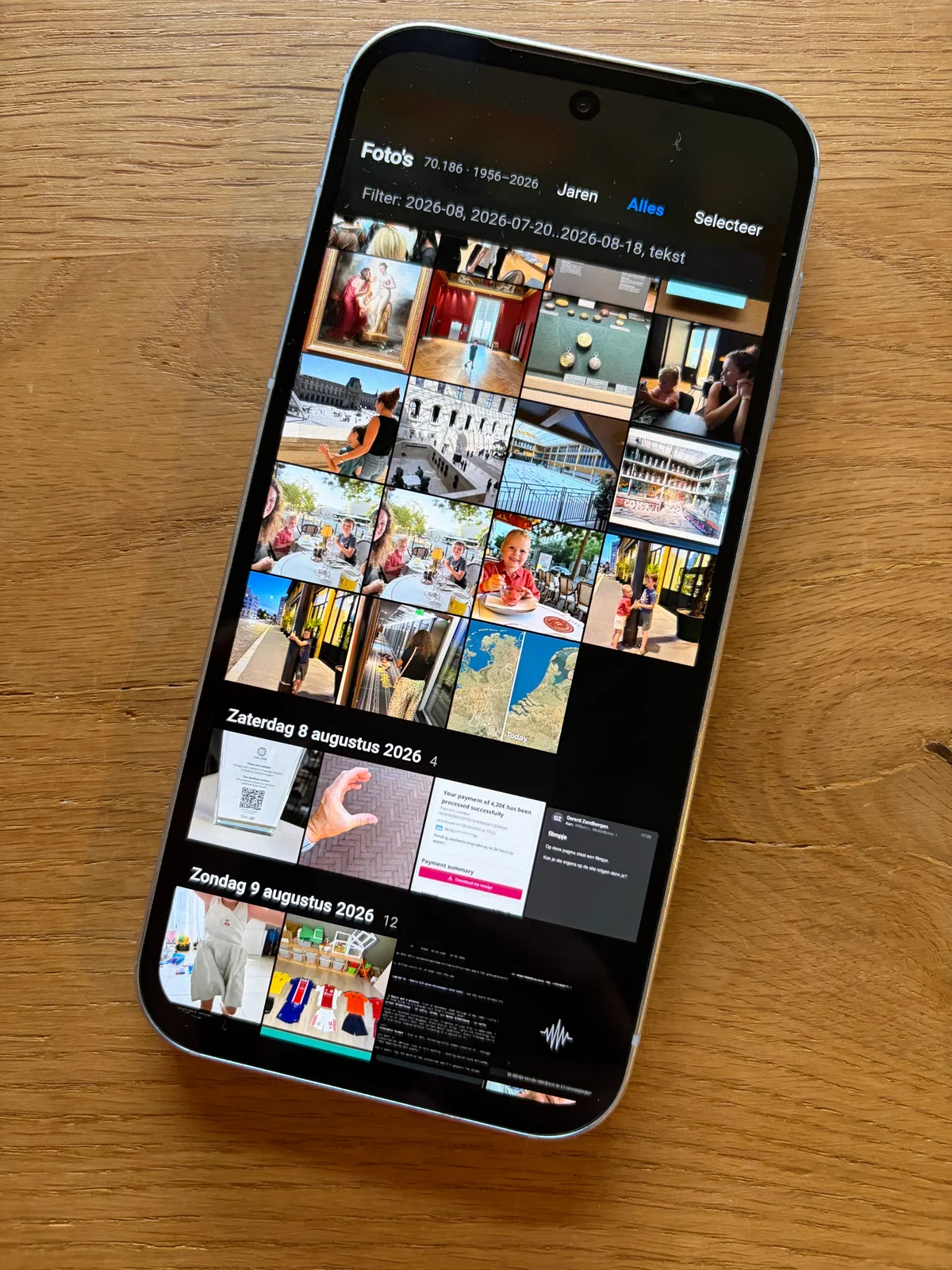
The phone keeps no photos. The camera roll syncs home and empties itself, the phone is a viewfinder and the library lives in the homelab. The launcher opens that library as a full screen web app, and offers it to every other app as a photo source, so attaching a picture in WhatsApp goes through the library at home. Same for waar.willem.com, my self hosted Find My: the phone sends its position home, family sees whether I am in Limburg or in Amsterdam, and during a run they see the route and the heart rate live. With a Bluetooth keyboard the terminal goes full screen and Alt+Space opens a command palette. Reading this back, it is my own tablet OS again, six years later, on a device I carry all day.
Friction
Now the honest part. This week I put the phone next to the new laptop and used nothing else. What a difference with how polished iOS is. Willem OS on the Android is not bad, but there is still friction. The first afternoon cost sixty percent of the battery, because the terminal kept streaming while the screen was off. Fixed, a full day now ends with a quarter left. The heart rate card showed a perfect eighty beats per minute for three days: switching Bluetooth off never tells the app, so the link had silently died. Fixed too, it heals itself now. The phone denies every new app network access by default, which cost me an hour before I knew.
Do we improve this or move back? That was the question in my notebook on 31 August. Here is what is good: agents run locally, with network, files and protocols. Nothing is in the way. There is a local shell. On the phone I do not have full control, WHOOP and WhatsApp are still someone else's, but I have far more than on iOS. And the strange, pleasant thing: the Android does not feel like a step back.
Conclusion
A home screen for one user, built in a day, improved every week since. It works because it does less: a list, three cards and a terminal into the homelab. The phone became malleable, and that is worth more to me than polish. In principle everything now works out, smartphone only, which I would have called unimaginable a year ago.
So if your home screen is somebody else's idea of what you need, know that it is just an app. You can write your own, ha!